Customization is no longer a luxury in modern operating systems. It has become an expectation. Over the years, Windows has evolved from a rigid interface into something more flexible, but users still want deeper control over how their system looks and behaves. From students setting up distraction free desktops to professionals optimizing workflows, personalization plays a key role in productivity.
Windows 12 customization is already a hot topic, even before its official release. Users are asking one simple question: how much control will they actually get this time? With the rise of AI driven interfaces and adaptive systems, Microsoft has a real opportunity to redefine personalization in a meaningful way.
The demand for better user control and smarter personalization continues to grow. If Windows 12 delivers on these expectations, it could change how people interact with their computers on a daily basis.
Customization in Windows 10 and Windows 11
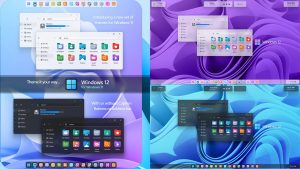
To understand where Windows 12 might go, it helps to look at what came before. Windows 10 offered a decent level of customization, including themes, color accents, and taskbar tweaks. However, many deeper changes required registry edits or third party tools, which not every user was comfortable with.
Windows 11 introduced a cleaner and more modern interface, but it also removed some flexibility. The centered taskbar and limited Start Menu layout frustrated power users who preferred more control. While the design looked polished, it felt restrictive to many.
These limitations set the stage for Windows 12. Users now expect Microsoft to strike a better balance between design simplicity and customization freedom.
Windows 12 UI Redesign: A More Flexible Interface?
One of the most discussed aspects of Windows 12 is its rumored interface redesign. Early reports suggest a more modular approach, where different parts of the UI can adapt based on user needs. This could mean a shift away from fixed layouts toward something more dynamic.
Imagine being able to rearrange interface elements with simple drag and drop actions. Panels, widgets, and menus could adjust depending on your workflow. For example, a content creator might prioritize editing tools, while a student might focus on notes and browsing.
Adaptive layouts could also play a role. The system might automatically adjust spacing, sizing, and positioning depending on screen size or usage patterns. If implemented well, this kind of flexibility would make windows 12 iso download feel more personal and less like a one size fits all solution.
Start Menu and Taskbar Customization: More Freedom or Still Restricted?
The Start Menu and taskbar are central to the Windows experience. In previous versions, they have been both loved and criticized. Windows 12 is expected to revisit these elements with a focus on flexibility.
Users may get more control over the Start Menu layout, including the ability to resize sections, pin apps freely, and organize content in a way that matches their habits. The taskbar could also see improvements, such as better positioning options and more control over icons and widgets.
One of the most requested features is the ability to move the taskbar to different parts of the screen. If Microsoft brings this back, it would address a major complaint from Windows 11 users.
The key question is whether these changes will offer real freedom or just small tweaks. Users are hoping for meaningful control rather than surface level adjustments.
AI Powered Personalization: Smart Customization in Windows 12
Artificial intelligence is expected to play a major role in Windows 12 customization. Instead of manually adjusting every setting, users might benefit from a system that learns their preferences over time.
For example, the operating system could suggest layout changes based on how you use your apps. If you frequently switch between certain tools, Windows might group them together or adjust your workspace automatically. Notifications, themes, and even system behavior could adapt to your routine.
This kind of smart customization can save time, but it also raises questions. Will users have the option to override AI decisions? The success of this feature will depend on how much control people retain.
A balance between automation and manual control is essential. Users want help, not limitations disguised as intelligence.
Themes, Colors, and Visual Identity: Deeper Control
Visual customization is one of the most noticeable aspects of any operating system. Windows 12 is expected to expand options for themes, colors, and overall design.
Users may get more detailed control over accent colors, transparency effects, and dark mode settings. Instead of basic theme switching, there could be layered customization where every element can be fine tuned.
There is also speculation about improved support for third party themes. If Microsoft allows deeper integration without compromising security, it could open the door for more creative designs.
For many users, the look and feel of their system is just as important as functionality. Giving people the ability to shape their environment can make the experience more enjoyable and engaging.
Widgets, Desktop, and Interactive Elements
Widgets have made a comeback in recent Windows versions, but their potential is still largely untapped. Windows 12 could take this further by offering more interactive and customizable widget options.
Users might be able to place widgets anywhere on the desktop, resize them freely, and connect them to different apps or services. This could turn the desktop into a personalized dashboard rather than a static background.
Live desktop features are another possibility. Imagine a desktop that updates in real time with information you actually care about, such as tasks, weather, or project updates.
The goal is to make the desktop more useful without making it cluttered. If done right, this could improve both productivity and user satisfaction.
App Level Customization and Layout Control
Beyond system wide settings, Windows 12 may offer better control at the app level. This includes improvements to window snapping, layout management, and workspace organization.
Users could create custom layouts for different tasks, such as work, gaming, or studying. Switching between these layouts would instantly rearrange open apps and windows.
Multi monitor setups may also benefit from more personalized settings. Each screen could have its own configuration, making it easier to manage complex workflows.
These features are especially useful for professionals who rely on efficient multitasking. Small improvements in layout control can lead to significant gains in productivity.
Privacy vs Personalization: How Much Data Will It Use?
As customization becomes more advanced, privacy concerns naturally follow. AI driven personalization relies on data, which raises questions about how that data is collected and used.
Windows 12 will likely include settings that allow users to control what information is shared. Transparency will be key. People want to know what data is being used and why.
There should also be clear options to disable certain features. Not everyone is comfortable with AI making decisions based on their behavior.
Finding the right balance between personalization and privacy will be one of the biggest challenges for Microsoft. Users want smarter systems, but they also want to stay in control of their data.
Customization for Gamers, Developers, and Power Users
Different types of users have different needs. Windows 12 customization could include specialized features for gamers, developers, and power users.
Gamers might get interface options that focus on performance and immersion. Developers could benefit from tools that allow deeper system tweaks and testing environments. Power users may see advanced settings that go beyond standard options.
These features do not need to be visible to everyone. A layered approach could keep the interface simple for casual users while offering depth for those who want it.
This kind of flexibility would make Windows 12 more appealing to a wider audience.
Third Party Customization Tools: Will Microsoft Allow More Freedom?
For years, users have relied on third party tools to unlock deeper customization. Programs like Rainmeter have allowed people to create unique desktop experiences.
The question is whether Microsoft will embrace or restrict these tools in Windows 12. Greater openness could lead to more creativity, but it also comes with security risks.
If Microsoft provides official APIs or safe ways to extend customization, it could strike a balance between freedom and protection. Users would get more options without compromising system stability.
This area will be important for advanced users who want full control over their setup.
Real World Use Cases: How Customization Impacts Daily Productivity
Customization is not just about aesthetics. It has real impacts on how people work and interact with their devices.
A minimal setup can reduce distractions and help users focus on important tasks. On the other hand, a more advanced setup can provide quick access to tools and information, saving time throughout the day.
For example, a designer might create a workspace with editing tools and reference material always visible. A student might organize their desktop with notes, schedules, and research tabs.
These small changes add up. When the system adapts to the user, instead of the other way around, productivity naturally improves.
Conclusion: Will Windows 12 Finally Deliver True Customization?
Windows 12 has the potential to redefine customization in a meaningful way. With a mix of AI driven personalization and user controlled settings, it could offer a more balanced experience than previous versions.
However, the success of these features will depend on execution. Users want flexibility, not restrictions. They want smart tools, but also the ability to make their own choices.
If Microsoft listens to user feedback and focuses on real world needs, Windows 12 could become the most customizable version of Windows yet. The expectations are high, and for good reason.
The final result will determine whether Windows 12 is just another update or a true step forward in how we personalize our digital environments.