
Microsoft is testing a new Windows update that could redefine how we use our PCs. This update is not just another software patch; it introduces AI-driven features designed to enhance productivity, streamline workflows, and improve overall system performance. From smarter search tools to predictive typing and Copilot integration, Microsoft is bringing intelligent assistance directly to the desktop. For everyday users, these upgrades mean faster, more intuitive interactions, while businesses can expect improved efficiency and smoother collaboration across Microsoft tools. The integration of AI promises to make Windows smarter, helping users get more done in less time.
Overview of the Windows Update
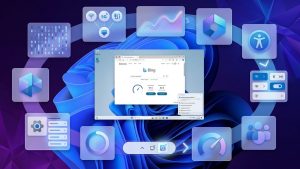
The latest Windows update focuses on three main pillars: AI integration, speed improvements, and a smoother user experience. Currently being tested on Windows 11 and select Windows 10 builds, the update introduces enhancements aimed at both home users and enterprises. Microsoft’s goal is clear: embed AI across the operating system while optimizing performance. Users can expect improved multitasking, more intelligent search capabilities, and a more responsive interface. Beta testers report noticeable speed improvements, making everyday tasks like opening apps or switching between windows faster. With these updates, Microsoft is aiming to create a Windows experience that feels smarter, faster, and more personalized than ever.
New AI Features in Windows
One of the most exciting aspects of this update is the integration of AI features. Microsoft Copilot, now embedded across Windows, acts as a virtual assistant, helping with tasks like drafting documents, summarizing emails, and managing schedules. AI-powered search will make finding files or information faster and more accurate, while predictive typing and suggestions enhance productivity across apps. Early beta testers have praised how these features anticipate user needs, saving time on repetitive tasks. For example, AI can suggest relevant apps based on user habits or auto-generate quick responses in messaging apps. These enhancements show Microsoft’s commitment to blending intelligence seamlessly into the Windows experience.
Performance Improvements
Beyond AI, this update also delivers significant performance improvements. Startup times are faster, apps launch more smoothly, and system responsiveness has been enhanced through optimized memory and CPU usage. AI plays a role here too, intelligently managing background processes to ensure resources are allocated where they are needed most. Beta users have noticed quicker multitasking capabilities and reduced lag during demanding applications. These optimizations not only make the system feel snappier but also extend battery life on laptops. Microsoft’s approach ensures that even users who don’t directly use the AI features will still benefit from a faster, more efficient Windows environment.
Microsoft’s Strategy With AI in Windows
Microsoft’s vision goes beyond individual features. By embedding AI deeply into Windows, the company aims to create a connected ecosystem that includes Microsoft 365, Edge, and other services. AI integration helps users work smarter, whether in office apps, web browsing, or development tools. This approach positions Windows as a leader in AI-driven OS innovation, differentiating it from competitors like macOS and Linux. The company is focused on making AI both practical and intuitive, ensuring users of all skill levels can benefit. In the long term, Microsoft envisions a Windows experience that actively assists users in daily tasks, transforming the OS into a proactive productivity platform.
Early User Feedback and Expert Opinions
Early feedback from beta testers has been overwhelmingly positive. Many users highlight the intuitive nature of AI features and the noticeable boost in system speed. Tech experts note that Microsoft’s AI integration could set new standards for operating systems, especially in productivity and automation. Some testers, however, raise concerns about privacy and the learning curve for new AI tools. Microsoft has assured users that feedback will guide refinements, demonstrating a commitment to building AI features responsibly and effectively.
Implications for Businesses and Everyday Users
For businesses, AI-driven Windows can enhance collaboration, streamline workflows, and improve security with intelligent monitoring. Remote workers and developers may benefit from automation tools and predictive insights, while gamers can enjoy optimized performance and faster load times. Everyday users will find tasks like managing files, scheduling, and communication more efficient, allowing them to focus on creative or high-priority work. Overall, this update has the potential to redefine productivity across all types of Windows users.
Conclusion: What This Update Means for the Future of Windows
Microsoft’s AI-focused update signals the next generation of Windows. By combining intelligent features with performance improvements, it sets a new benchmark for productivity and user experience. As AI becomes more central to computing, this update demonstrates Microsoft’s commitment to a smarter, faster, and more connected Windows ecosystem. Users should keep an eye on official release announcements to experience these enhancements firsthand.