
Microsoft Teams has become an essential hub for collaboration, connecting teams across organizations in real time. With Windows 11, Teams is stepping up its game, integrating advanced AI features that make communication smoother and workflows smarter. This isn’t just a cosmetic update—AI integration is designed to anticipate your needs, provide actionable insights, and streamline tasks, saving time for both businesses and individuals. For professionals navigating hybrid work, these enhancements mean fewer interruptions, smarter scheduling, and more meaningful interactions. Windows 11 isn’t just offering a platform; it’s creating a more intuitive workspace where collaboration meets intelligence, helping teams focus on what really matters.
AI-Powered Features in Teams on Windows 11
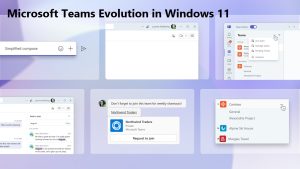
Windows 11 introduces AI-driven features that transform how Teams works. Automatic meeting transcriptions capture every spoken word, while AI summaries condense discussions into key points for quick reference. Smart replies allow users to respond faster, and AI-powered scheduling suggests optimal meeting times based on participants’ calendars. Task suggestions driven by AI ensure follow-ups are never missed, keeping projects on track. Together, these features reduce repetitive work and enhance productivity by handling routine tasks, letting employees focus on creative and strategic efforts. By anticipating user needs and providing real-time insights, AI in Teams ensures that every interaction is meaningful and actionable. This intelligent layer makes collaboration smoother, faster, and more efficient for both individual users and entire organizations.
Seamless Collaboration Across Devices
AI in Teams is designed to work seamlessly across PCs, tablets, and mobile devices. Cloud-based syncing ensures that your conversations, tasks, and meeting notes are always up to date, no matter where you switch devices. Context-aware suggestions help you stay on top of conversations, whether you’re on a desktop during office hours or responding on a smartphone while commuting. Imagine starting a presentation on your laptop and instantly picking up on your tablet while collaborating with colleagues in different locations. This cross-device fluidity, powered by AI, eliminates friction and allows teams to collaborate without losing momentum, making remote and hybrid work more connected than ever.
How AI Enhances Meetings and Communication
AI is transforming the way meetings unfold in Teams. Automatic meeting notes capture discussion points, while real-time translation allows global teams to communicate effortlessly. AI meeting insights highlight action items and provide summaries that reduce the cognitive load on participants, letting them focus on discussion rather than documentation. For example, a project manager can join a 30-minute client call knowing Teams will generate key takeaways, track follow-ups, and even suggest next steps automatically. This hands-on support ensures that meetings are more productive, less stressful, and inclusive, giving teams more time to execute on decisions rather than catching up on missed details. In essence, AI acts as a silent assistant, making collaboration smarter and meetings more efficient.
Security and Privacy Considerations
While AI brings efficiency, security remains a top priority. Microsoft implements strict compliance standards to ensure user data is protected across Teams and Windows 11. AI-driven features operate within enterprise-grade security protocols, meaning sensitive information remains encrypted and secure. Users retain control over their data, with customizable settings for privacy and collaboration. By balancing AI efficiency with strong security measures, Teams provides a trusted environment where organizations can harness the power of intelligent features without compromising confidentiality. This approach reassures businesses that adopting AI-enhanced workflows does not come at the cost of data integrity or compliance.
Implications for Businesses and Remote Teams
AI integration in Teams is a game-changer for businesses embracing hybrid or fully remote work. Automated scheduling, AI summaries, and intelligent task suggestions save time, reduce bottlenecks, and improve communication across teams. Employees spend less time managing logistics and more time focusing on strategic work. For organizations, this can translate into workflow optimization, improved project management, and potential cost savings. By streamlining routine operations, AI helps teams collaborate more effectively, maintain alignment across locations, and ultimately achieve higher productivity. The result is a work environment where technology supports human potential rather than replacing it.
Future Outlook: AI in Microsoft Teams and Windows 11
Looking ahead, AI in Teams is poised to become even smarter. Expect more predictive features, enhanced contextual insights, and deeper integration with other Microsoft 365 apps. As workplace collaboration increasingly relies on AI, Windows 11’s intelligent environment positions Teams as a central hub for connected, efficient, and productive work. The trend is clear: smarter AI-driven workspaces are no longer optional—they are becoming the standard for modern businesses seeking to stay competitive and adaptive.
Conclusion
AI-enhanced Microsoft Teams in Windows 11 is redefining how teams collaborate. With features like automated notes, smart scheduling, and cross-device synchronization, productivity and communication are elevated to a new level. Whether for remote work, hybrid setups, or global collaboration, Teams’ AI integration simplifies complex workflows, allowing teams to focus on meaningful work and stronger collaboration. Windows 11 is making the future of work smarter, faster, and more connected.