
Artificial intelligence is no longer a futuristic concept reserved for tech giants. It has quietly become part of everyday professional life. From drafting emails to analyzing business data, AI now supports decision making in ways that were unimaginable just a few years ago.
The biggest shift is not that AI exists. It is that it is accessible. Freelancers, marketers, developers, designers, and executives are all using AI tools to work faster and smarter.
In this guide, we explore the Best AI Tools Every Professional Should Know About, how they improve productivity and creativity, and how you can integrate them into your workflow without feeling overwhelmed.
Whether you are managing a team or building a solo career, understanding AI tools today is becoming as important as knowing how to use email was twenty years ago.
Why AI Tools are Essential for Professionals
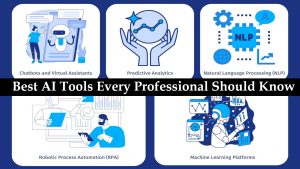
Modern work moves quickly. Deadlines are tighter. Competition is global. Clients expect faster responses and better results. This is where AI tools for professionals make a measurable difference.
AI software for work helps automate repetitive tasks, uncover insights from large datasets, generate content, assist with design, and even write code. Instead of replacing professionals, these tools amplify their capabilities.
Industries benefiting most include:
Marketing teams using AI for campaign optimization and content strategy
Designers creating faster visual drafts and branding concepts
Developers accelerating coding workflows
Financial analysts forecasting trends with predictive models
Writers and editors improving clarity and SEO performance
The real advantage is time. When routine tasks are automated, professionals can focus on strategic thinking, creativity, and relationship building. In many companies, AI is not a luxury anymore. It is becoming a competitive necessity.
Categories of AI Tools
Before diving into specific tools, it helps to understand the main categories:
AI for Writing and Content
AI for Design and Creativity
AI for Data and Analytics
AI for Automation and Productivity
AI for Code and Development
Each category solves different professional challenges. The best approach is not to use every tool available, but to select the ones that align with your daily work.
AI Tools for Writing and Content Creation
Content is the backbone of digital communication. Whether you are writing reports, blog posts, product descriptions, or internal documentation, AI writing tools can significantly speed up the process.
Popular tools include ChatGPT, Jasper, and Writesonic.
These tools assist with:
Drafting long form content
Generating ideas and outlines
Improving grammar and tone
Optimizing for SEO
Summarizing complex documents
For example, a marketing manager can use AI to generate campaign copy variations in minutes. A consultant can summarize client reports quickly. A content strategist can brainstorm headlines without staring at a blank screen.
The key is not to copy and paste blindly. The most successful professionals use AI as a collaborator. They refine, edit, and inject personal expertise. This human plus AI combination produces high quality results while maintaining authenticity.
AI Tools for Design and Creativity
Visual communication matters more than ever. Fortunately, AI has made design more accessible.
Tools like MidJourney, DALL E, and Canva AI allow professionals to create graphics, social media visuals, presentation slides, and branding assets quickly.
Benefits include:
Generating custom images from text descriptions
Creating brand consistent templates
Designing marketing materials without advanced software skills
Speeding up concept development
For beginners, Canva AI offers a user friendly interface with built in templates. For more advanced users, tools like MidJourney provide greater creative control and artistic depth.
When choosing a tool, consider your experience level and project needs. A startup founder may need quick social media graphics, while a creative director might require more detailed visual experimentation.
AI Tools for Data and Analytics
Data drives modern decision making. However, analyzing large datasets manually can be time consuming and complex.
AI powered analytics platforms such as Tableau AI, DataRobot, and Looker help professionals uncover patterns, predict trends, and generate actionable insights.
These tools can:
Automate data visualization
Identify anomalies and patterns
Create predictive models
Support real time business decisions
For example, a retail manager can use AI analytics to forecast sales demand. A finance professional can identify risk factors. A marketing analyst can evaluate campaign performance instantly.
Instead of drowning in spreadsheets, professionals can focus on interpreting insights and making informed decisions. This shift from manual analysis to strategic thinking is one of the biggest advantages of AI in business.
AI Tools for Automation and Productivity
Time is one of the most valuable professional assets. Automation tools powered by AI help reclaim it.
Zapier AI, Microsoft Copilot, and Notion AI are popular choices for improving workflow efficiency.
They help with:
Automating repetitive tasks
Generating meeting summaries
Scheduling and calendar management
Creating reports
Organizing projects and documentation
Imagine automatically sending follow up emails after client meetings. Or generating a weekly performance report in seconds. These small efficiencies add up over time.
Many professionals discover that even saving one hour per day through automation can dramatically increase output and reduce stress. AI does not just boost productivity. It improves work life balance when used wisely.
AI Tools for Coding and Development
Developers have embraced AI faster than many other professions.
Tools such as GitHub Copilot, OpenAI Codex, and Replit AI assist with code completion, debugging, and documentation.
Benefits include:
Suggesting code snippets in real time
Detecting errors early
Generating boilerplate code
Improving development speed
For experienced developers, these instantaitools.com act like an intelligent pair programmer. For beginners, they provide guidance and learning support.
However, professionals must still review and test generated code carefully. AI speeds up development, but responsibility for quality and security remains human.
Used correctly, AI coding tools significantly reduce development time while maintaining high standards.
Tips for Choosing the Right AI Tool
With so many options available, choosing the best AI software for work can feel overwhelming. A structured approach helps.
First, identify your specific needs. Are you looking to save time, improve creativity, or analyze data?
Second, evaluate ease of use. A powerful tool is useless if your team struggles to adopt it.
Third, consider cost and scalability. Some AI tools offer free tiers, while others require enterprise investment.
Fourth, check integration capabilities. The best professional AI tools guide emphasizes compatibility with existing systems.
Finally, prioritize data security and compliance, especially when handling sensitive business information.
Selecting wisely ensures AI becomes an asset rather than a distraction.
Future of AI in Professional Work
AI is evolving rapidly. The next wave focuses on collaboration and decision intelligence.
We are seeing AI integrated directly into office software, communication platforms, and project management tools. Instead of standalone apps, AI is becoming embedded in everyday workflows.
Future trends include:
AI assisted strategic planning
Real time predictive insights
Advanced creative collaboration tools
Smarter virtual assistants
Professionals who stay informed and adaptable will benefit the most. AI will not replace skilled individuals. It will enhance those willing to learn and experiment.
Conclusion
The Best AI Tools Every Professional Should Know About are not just productivity hacks. They represent a shift in how modern work gets done.
From writing and design to analytics and coding, AI helps professionals work faster, think smarter, and stay competitive.
Start small. Experiment. Learn what fits your workflow. The future of professional success will belong to those who combine human expertise with intelligent tools.
Frequently Asked Questions
What is the best AI tool for productivity?
There is no single answer. For workflow automation, Zapier AI is highly effective. For document creation and collaboration, Microsoft Copilot and Notion AI are strong options. The best AI tool for productivity depends on your role and daily tasks.
Are AI tools safe for professional use?
Most reputable AI software for work includes strong security measures. However, professionals should review privacy policies, enable data protection settings, and avoid sharing confidential information without proper safeguards. Enterprises often choose tools that offer compliance certifications and enterprise security features.
Can AI replace professional skills?
AI enhances skills but does not replace professional expertise. Strategic thinking, creativity, emotional intelligence, and ethical judgment remain human strengths. AI can draft, analyze, and automate, but professionals provide context, direction, and accountability.
How can beginners start using AI tools?
Start with one tool that addresses your most time consuming task. Learn its features gradually. Experiment on small projects. Over time, integrate additional tools as needed. The goal is improvement, not overload.