
Microsoft is clearly doubling down on its AI vision, and this week’s Copilot upgrade in Windows proves it. What started as a sidebar assistant is steadily evolving into something far more powerful and deeply integrated into the operating system.
If you have been using Windows 11 recently, you might have already noticed subtle changes. Copilot feels faster, more responsive, and surprisingly more useful in everyday tasks. This update is not just about adding features. It is about changing how users interact with their PCs.
In this article, we will break down what is new in Microsoft Copilot this week, how these updates impact real users, and why this matters for the future of Windows.
What Is Microsoft Copilot in Windows
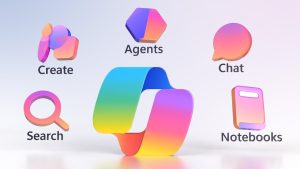
Before diving into the latest update, it helps to understand what Copilot actually is.
Microsoft Copilot is an AI powered assistant built directly into Windows. It combines large language models with system level access, allowing it to perform tasks, answer questions, and help users navigate their PC more efficiently.
Unlike traditional voice assistants, Copilot is designed to be context aware. It can assist with writing, settings, troubleshooting, and even creative tasks without requiring users to switch apps.
This makes it more than just a feature. It is becoming a core part of the Windows experience.
Overview of This Week’s Copilot Upgrade
This week’s update focuses on three key areas:
- Smarter AI responses
- Deeper Windows integration
- Faster performance and usability improvements
Microsoft appears to be moving Copilot closer to a true system level assistant rather than a simple chatbot.
Users are reporting noticeable improvements in how quickly Copilot responds and how accurately it understands instructions. More importantly, it now interacts with Windows settings and apps in a more natural way.
Smarter AI Responses and Context Awareness
One of the biggest improvements in this update is how Copilot understands user intent.
Previously, users often had to phrase commands very specifically. Now, Copilot can interpret more natural language. For example:
- Instead of saying “open display settings,” you can simply say “my screen looks too dim”
- Instead of searching manually, you can ask “find my recent downloads”
This might sound like a small change, but it makes a huge difference in daily use. The assistant feels less robotic and more conversational.
The AI also remembers short term context better. If you ask a follow up question, it does not lose track as easily as before.
Deeper Integration With Windows Settings
Another major highlight is tighter integration with system settings.
Copilot can now help users adjust settings without digging through menus. Some examples include:
- Changing brightness and display preferences
- Managing Bluetooth devices
- Adjusting sound settings
- Turning features on or off
Instead of navigating multiple layers in the Settings app, users can simply describe what they want.
This is where Copilot starts to feel like a true assistant rather than just an information tool.
App Level Assistance Is Getting Better
Microsoft is also improving how Copilot works with apps.
In this update, Copilot shows better support for:
- Microsoft Edge
- Office apps like Word and Excel
- Built in Windows tools
For example, you can ask Copilot to summarize a document, suggest edits, or help draft content. In Excel, it can assist with formulas or data analysis.
While some of these features were already available, the upgrade makes them faster and more reliable.
For content creators, bloggers, and professionals, this can save a significant amount of time.
Improved UI and User Experience
The Copilot interface has also received subtle but important changes.
Users are noticing:
- Faster loading times
- Smoother animations
- Cleaner layout
- Better readability
The sidebar feels less intrusive and more like a natural extension of Windows.
Microsoft seems to be focusing on reducing friction. The goal is to make Copilot something users actually want to use daily, not just a feature they try once.
Voice Interaction Is Becoming More Natural
Voice control is another area that has improved in this update.
Copilot now handles voice commands more smoothly, with better recognition and fewer errors. This is especially useful for users who prefer hands free interaction.
For example, you can:
- Ask questions
- Open apps
- Adjust settings
- Dictate text
The experience is not perfect yet, but it is clearly moving in the right direction.
Faster Performance and Reduced Lag
Performance improvements are often overlooked, but they matter a lot.
This week’s update makes Copilot:
- Load faster
- Respond quicker
- Handle multiple queries more efficiently
Earlier versions sometimes felt slow or delayed, which discouraged regular use. With this upgrade, the experience feels more immediate.
This alone can significantly increase adoption among everyday users.
Privacy and Control Updates
With AI becoming more integrated into the system, privacy is a major concern.
Microsoft has made some updates in this area as well:
- Clearer permissions for data access
- More transparency in how Copilot interacts with files
- Improved control settings for users
While there is still ongoing debate about AI and privacy, these changes are a step toward building user trust.
Real World Use Cases: How This Update Helps Users
To understand the impact of this upgrade, let’s look at practical examples.
For Students
Students can use Copilot to:
- Summarize notes
- Explain complex topics
- Organize study material
This can make studying more efficient and less overwhelming.
For Professionals
Working professionals can benefit from:
- Drafting emails
- Managing schedules
- Analyzing data
Copilot acts like a digital assistant that is always available.
For Casual Users
Even everyday users can:
- Find files quickly
- Adjust settings easily
- Get quick answers
This makes Windows more accessible, especially for less tech savvy users.
How Copilot Compares to Other AI Assistants
Microsoft is not the only player in the AI space.
Competitors include:
- Google Gemini
- ChatGPT integrations
- Apple’s evolving AI features
What makes Copilot unique is its deep integration with Windows.
While other assistants are powerful, they often operate as separate tools. Copilot, on the other hand, is built into the system itself.
This gives it an advantage when it comes to performing actual tasks on your PC.
What This Means for the Future of Windows
This update is not just about new features. It signals a shift in how operating systems are designed.
Windows is gradually moving toward an AI first experience where:
- Users interact through natural language
- Tasks are automated
- The system becomes more proactive
In the future, we might see Copilot:
- Anticipate user needs
- Suggest actions before you ask
- Integrate even deeper with apps and services
This could redefine how we use computers altogether.
Potential Limitations and Challenges
Despite the improvements, there are still some challenges.
- Not all features are available globally
- Some integrations are limited to Microsoft apps
- Accuracy can vary depending on the task
Users should also be cautious when relying on AI for critical tasks, especially where accuracy is essential.
Copilot is improving quickly, but it is not perfect yet.
Tips to Get the Most Out of Copilot
If you want to take full advantage of this update, try these tips:
- Use natural language instead of rigid commands
- Experiment with different tasks
- Combine voice and text input
- Keep your system updated
The more you use Copilot, the better you will understand its capabilities.
Final Thoughts: A Step Closer to an AI Driven PC
This week’s Copilot upgrade might not seem revolutionary at first glance, but it represents steady and meaningful progress.
Microsoft is clearly working toward making AI a core part of Windows, not just an optional feature. The improvements in speed, usability, and integration make Copilot more practical for everyday use.
For users, this means less time navigating menus and more time getting things done.
For the tech industry, it signals a future where AI is not just an add on but the foundation of how we interact with our devices.
If this trend continues, the way we use Windows could look very different in the next few years.